Herdy Gerdy is a rather unassuming puzzle-platformer from Core Design that is primarily focused on animal herding. The protagonist is a young apprentice herder named Gerdy who is dismayed to find his father, a herding master, trapped in a sleeping spell on the day of a big herding tournament. The player must guide Gerdy through the land and conquer many herding puzzles in order to get to and ultimately win the tournament.

|
To do:
|
Debug Mode#
At the main menu, by pressing L1, L2, R2, R1, L1, L2, R2, R1, Select on controller 1, a hidden debug mode can be activated. A sound effect will confirm correct activation. This allows you to take screenshots, enable a free camera mode, change rendering settings and more. Below are sections on the debug mode sub-modes. After this mode is enabled, all controls are done on controller 2 to change modes and settings.
To change a sub-mode, press Select.
(Source: Punk7890)
Mode 1 (BASIC)#

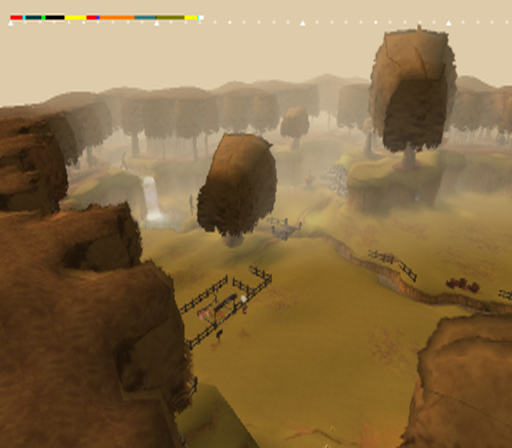
Internally named BASIC. This mainly allows you to change various system settings.
Controls:
- X enables system resource meters.
- D-Pad Up changes rendering.
- D-Pad Left hides the player.
- D-Pad Right hides geometry.
- Circle likely allows you to take a screenshot.
- L1 (once) enables a free camera mode. Pressing again sets the camera far outside the map then slowly zooms in on the player. Pressing one more time returns the camera to normal.
- L2 Moves the screen down.
- R2 Moves the screen up.
Mode 2 (CHIRS1)#
This only appears to test screen fade-in effects.
Controls:
- X applies a fade-in effect. Triangle disables it.
Mode 3 (JAKE1)#
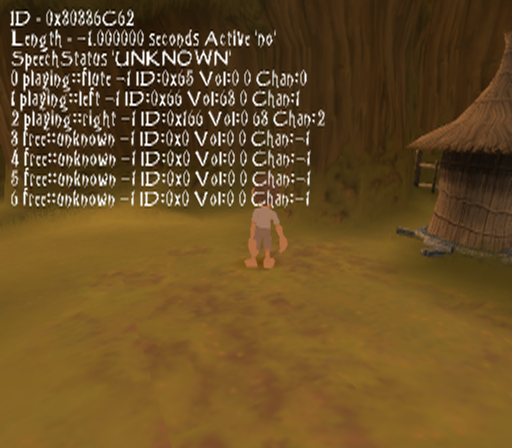
Controls:
- X makes some sort of icon appear.
- Circle plays a sound effect.
- L1 enables a magnifying glass that zooms in on an object.
Mode 4 (NICK1)#
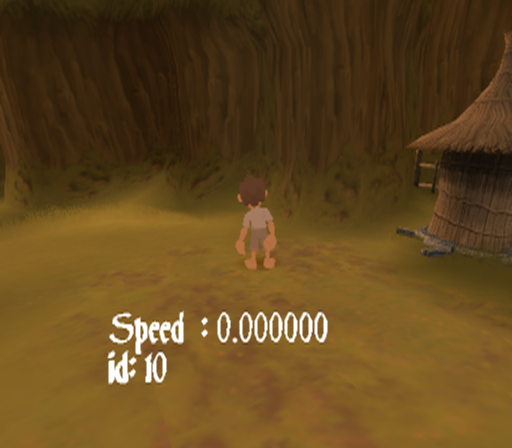
It's not clear what this mode does.
Mode 5 (AUDIO)#

Allows you to change audio effects.
Mode 6 (IAN)#
Allows you to view a couple of effects.
Controls:
- Square enables an effect over the player's head.
- Triangle makes it rain.
Unused Dummy Data#
On the root of the disc is a file called BLANK.DAT. This is actually a mpeg video file which contains a trailer for Shadow of Destiny, which is made by a completely different developer and publisher.
(Source: Punk7890)