
|
This page contains no introduction. |
Debug Mode#
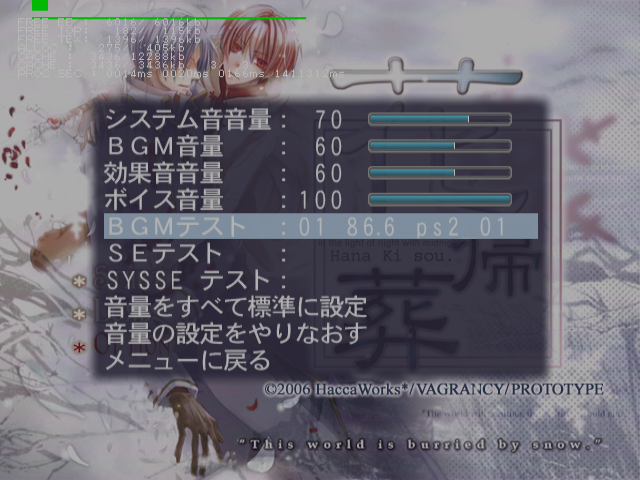
This mode enables a screen capture debug mode, debug information, and sound test options.
Master Code (only needed for cheat devices)
901A81F8 0C06A026

Enable Debug Mode
202BD278 00000001
Controller #1 debug inputs:
- Triangle + Circle + X + Square + Start will return you to the title screen.
- Select + Triangle will enable or disable progressive mode.
Controller #2 debug inputs:
- Circle to toggle debug modes. Press this once or twice to enable sound test options in the Options menu in the main menu.
- Select for screen capture menu. This will save an image in raw bmp format to your memory card.
- Triangle to log printf information.
- Square to toggle Debug flag on or off. This unlocks everything temporarily.
- X to log printf information.
- R1 to log printf information.
(Source: Punk7890)
Progressive Display Mode (640x480p)#
Holding Triangle + X when the game is first starting up will allow you to turn on progressive mode.