 This article has a talk page!

|
This page is rather stubbly and could use some expansion. |
Arabians Lost: The Engagement on Desert is one of the few dating simulation games released for the PlayStation 2 that's geared towards a female audience.
Debug Mode#
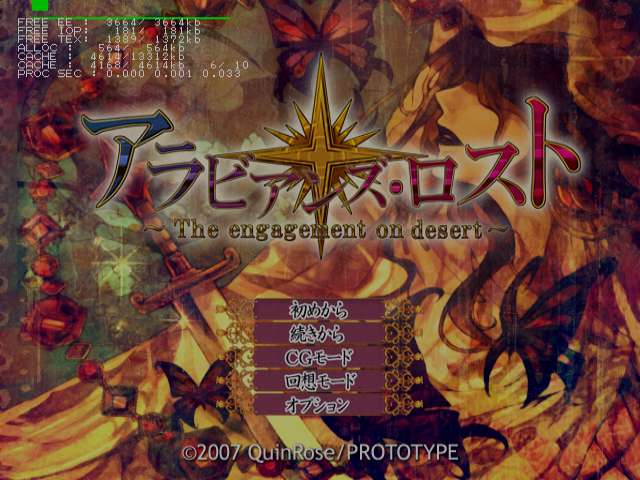
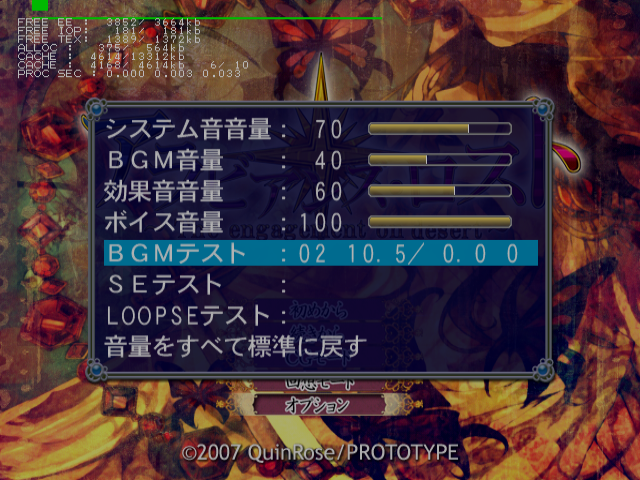
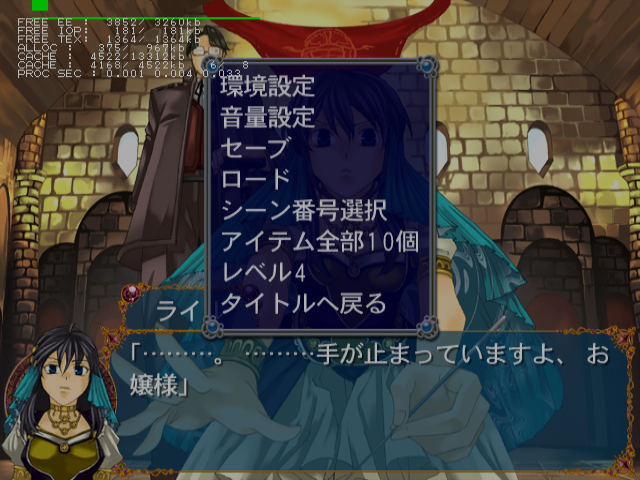
The same debug system present in other Visual Art's and Prototype games can be found is this game as well. This mode enables a screen capture debug mode, an event select menu, debug information, and sound test options. This will also enable extra options in the pause screen, namely an event select menu, obtain all items option and a option to level up your character by four levels.
Once you have enabled Debug Mode and saved while it is active, you will no longer need to activate the code.
Master Code (only needed for cheat devices)
901D1C78 0C0746C6

Enable Debug Mode
20337690 00000001

Re-enable printf logging
201C7870 080745A4
Controller #1 debug inputs:
- Triangle + Circle + X + Square + Start will return you to the title screen.
- Select + Triangle will enable or disable progressive mode.
Controller #2 debug inputs:
- Circle to toggle debug modes. Press this once or twice to enable sound test options in the Sound Settings menu in the Options menu. This will also open a scene select menu in the pause menu in-game.
- Select for screen capture menu. This will save an image in raw bmp format to your memory card.
- Triangle to log printf information.
- Square to toggle Debug flag on or off. This will temporarily unlock everything when on.
- X to log printf information.
- R1 to log printf information.
(Source: Punk7890)
Unused Images#

A placeholder image which reads "Picture doesn't exist."


Music graphics from Shinkyouku Soukai Polyphonica
Progressive Display Mode (640x480p)#
Holding Triangle + X when the game is first starting up will allow you to turn on progressive mode.