Amagami is a dating simulation game and the spiritual successor to KimiKiss.

|
This needs some investigation.
|
Debug Menus#
Enter the following code to turn on debug functionality. After that, while on the main scene selection screen, press one of the following button combinations listed below before selecting a scene and then begin the scene as normal by pressing Circle. Some buttons are normally mapped to specific functions on this screen and may trigger when pressing the button combinations. In those cases, simply press X to close those screens and load the scene by pressing Circle; your chosen menu should still load as normal.
Standard Version |
EB collection version |
|---|---|
|
|
(Source: Original TCRF research)
Character Display Test#
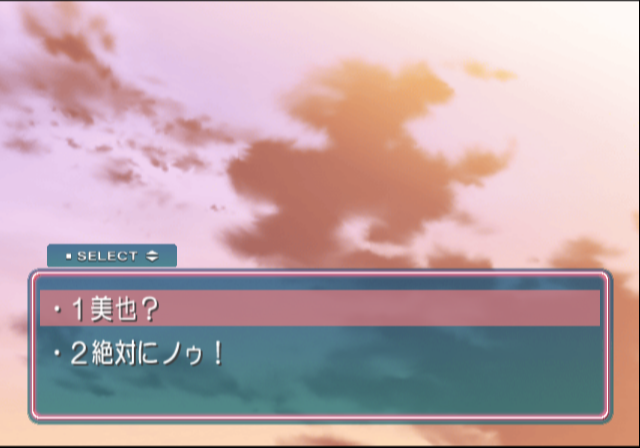
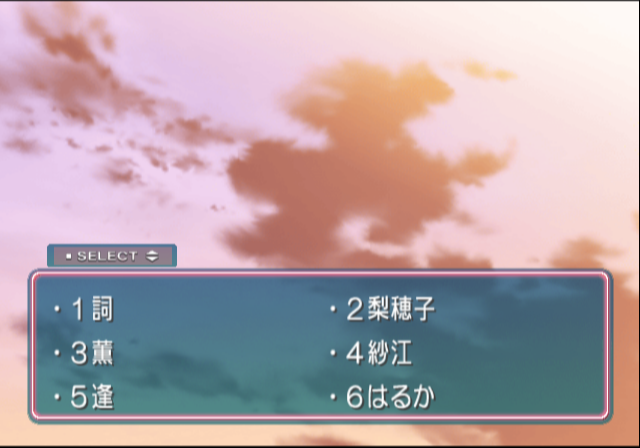
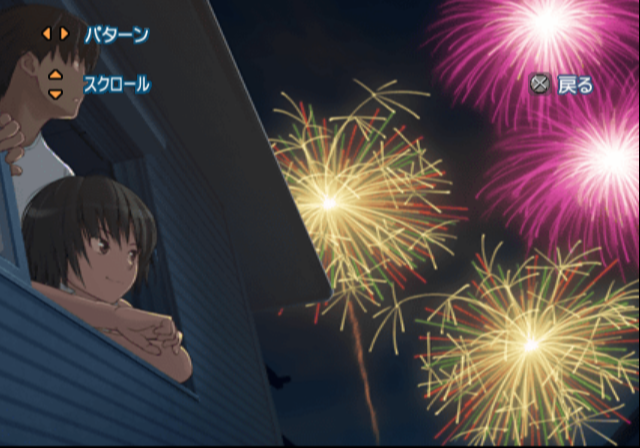
Press Select + L1 (Standard) or L2 + Left (Eb Colle +) before starting a scene to enter a character display test.
Tsuka's Temporary Scene Storage#
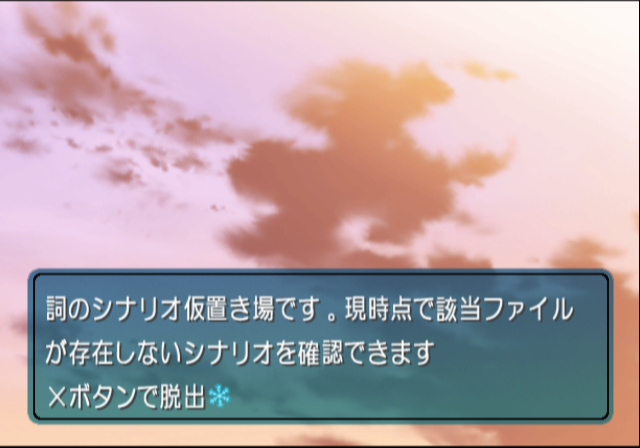

Press Select + R2 (Standard) or R2 + Up (Eb Colle +) before starting a scene to enter what's referred to as "Tsukasa's temporary scene storage." Press Circle to close the message box. A number counter should then display whose amount can be changed by pressing the D-Pad. Press Circle to confirm the displayed value and trigger the corresponding function listed below. (This counter may fail to load for some scenes. The easiest way to access it is by selecting the opening prologue scene when starting a new game.)
0#
Set all character excitement levels to low.
1#
Set all character excitement levels to mid.
2#
Set all character excitement levels to high.
3#
Set a character as "attackable," allowing you to trigger their bonus post-conversation scenes for the current relationship level.
4#
Unknown.
5#
Execute Rihoko's test scene.
10#
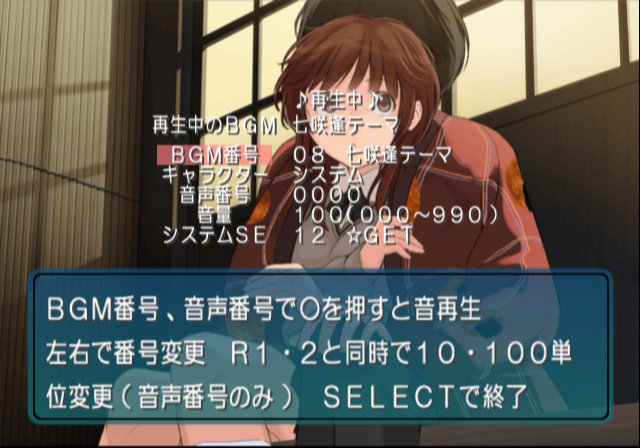
Sound test.
Text |
Translation |
Notes |
|---|---|---|
♪再生中♪ |
♪Playing♪ |
|
再生中のBGM |
Song Currently Playing |
Displays song name. |
キャラクター |
Character |
"システム" (System - SFX) and character voice test. |
音声番号 |
Sound Number |
|
音量 |
Volume |
|
システムSE |
System Sound Effects |
- Circle: Play.
- Left, Right: Changes number.
- with R1, R2: Increase/Decrease number in increments of 10 or 100, respectively.
- Select: Exit.
Graphics Viewer#
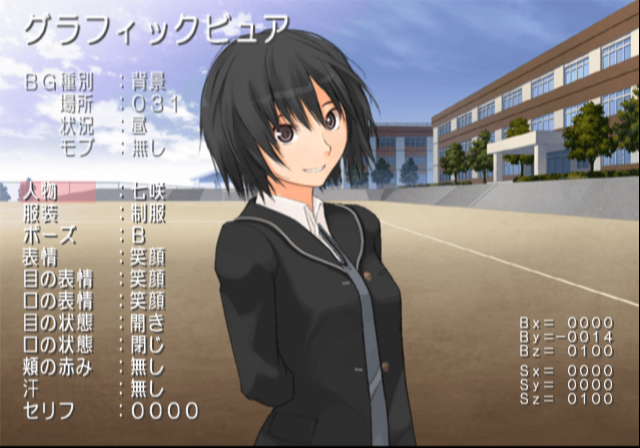
Press Select + R1 (Standard) or R2 + Right (Eb Colle +) before starting a scene to enter into a graphics viewer.
- L2: Enable/Disable display menu text.
- R2: Enable/Disable display coordination text.
- L1: Switches between menu background and character settings.
- Select: Changes background music.
- Circle: Display selected graphics.
- L-Stick: Move image.
- R-Stick: Zoom in/out.
Text |
Translation |
Notes |
|---|---|---|
BG種別 |
Background Type |
"背景" (Background) and "イベント" (Event) |
場所 |
Location |
|
状況 |
Status |
"昼" (Noon) "夕方" (Evening) "夜" (Night) "雨" (Rain) |
モブ |
Mob |
"無し" (None) "特殊" (Special) |
人物 |
Character |
|
服装 |
Clothing |
|
ポーズ |
Pose |
|
表情 |
Expression |
|
目の表情 |
Eye Expression |
|
口の表情 |
Mouth Expression |
|
目の状態 |
Mouth Status |
|
口の状態 |
Eye Status |
|
頬の赤らみ |
Blushing |
|
汗 |
Sweat |
|
セリフ |
Line |
Play voiced lines for the displayed character. Press Left/Right on the D-Pad to change the line to be played. |
Test Script#
Press Select + Left (Standard) before starting the first scenario to enter into Test script.
It simply displays the following text:
Text |
Translation |
|---|---|
これはテストスクリプトです |
This is a test script. |
Rihoko's Temporary Scenario Storage#
Press Select + Down (Standard) before starting a scene to enter to what's referred to as "Rihoko's temporary scenario storage."
It simply displays the following text:
Text |
Translation |
|---|---|
梨穂子のシナリオ仮置き場です。現時点で該当ファイルが存在しないシナリオを確認できます |
This is Rihoko's temporary scenario storage. This screen can be used to check scenes that don't have a corresponding file at this time. |
Large Size Graphics Viewer#
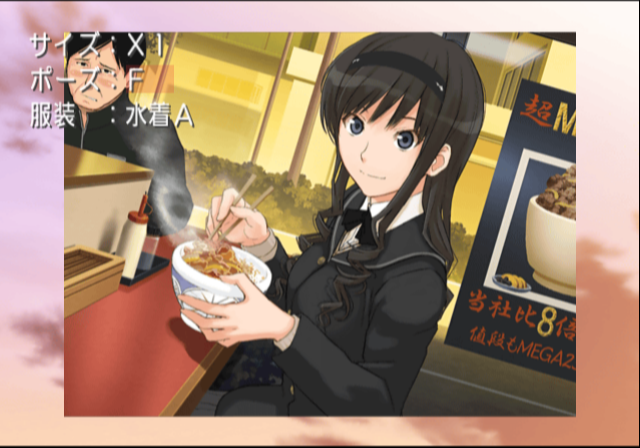
Press Select + L2 (Standard) or L2 + Right (Eb Colle +) before starting a scene to enter the large graphics viewer.
Text |
Translation |
|---|---|
サイズ |
Size |
ポーズ |
Pose |
服装 |
Clothing |
Voice Test#
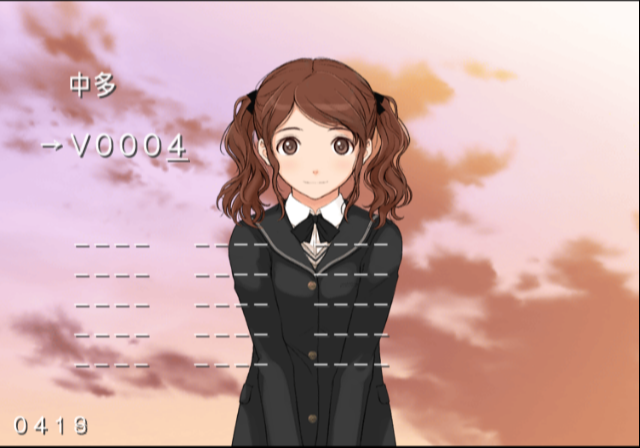
Press Select + Up (Standard) or L2 + Down (Eb Colle +) before starting a scene to enter the voice test. The underlined parts are unknown.
- Left, Right: Select voice.
- Circle: Play.
- L1, R1: Moves cursor.
- L2, R2: Changes character.
Character Reaction Test#
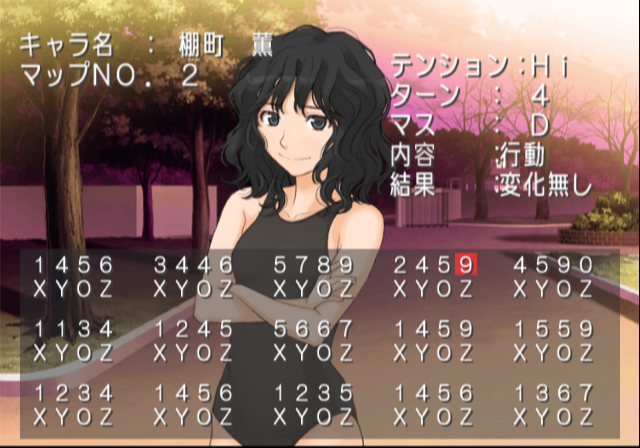
Press Select + Right (Standard) or L2 + Up (Eb Colle +) before starting a scene to enter the character reaction test.
Text |
Translation |
Notes |
|---|---|---|
キャラ名 |
Character Name |
|
マップNo. |
Map No. |
Changes the set of accessible conversations found in the lower half of the screen. |
テンション |
Excitement |
The character's excitement level. |
ターン |
Turn |
|
マス |
Square |
|
内容 |
Topic Type |
|
結果 |
Result |
Mahjong Reaction Test#
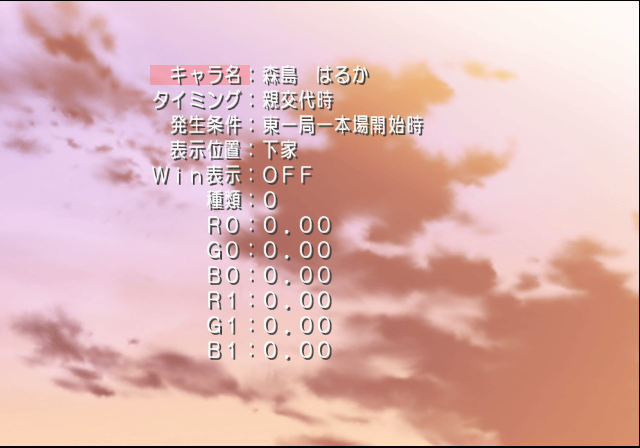
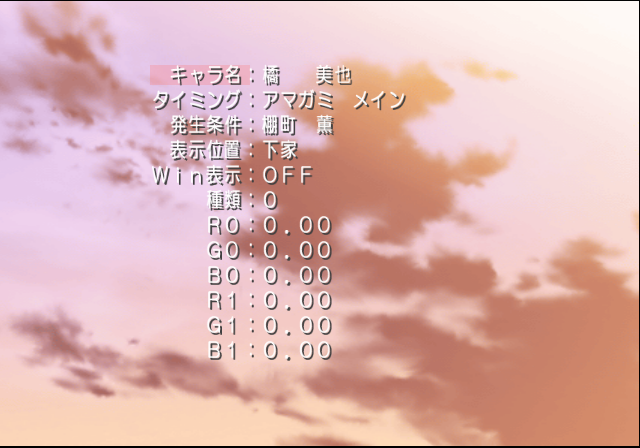
Press R2 + Down or R2 + Left before starting a scene to enter the mahjong reaction test.
Text |
Translation |
Notes |
|---|---|---|
キャラ名: |
Character Name: |
Out of screen. |
タイミング: |
Timing: |
|
発生条件: |
Activate condition: |
|
表示位置: |
Display position: |
|
Win表示: |
Window display: |
|
種類: |
Type: |
Mahjong Debug Menu#

Enable the code, after that start the mahjong story to display a debug menu.
Text |
Translation |
Notes |
|---|---|---|
牌山選択 |
Deck select |
"ランダム"(Random) is default. |
CPU鳴き |
CPU melding |
|
CPU自摸切り |
CPU discards self-draw immediately |
|
手牌オープン |
Open hands |
|
裏ドラオープン |
Open hidden doras |
|
起家 |
Starting player |
"ランダム"(Random) is default. |
CPU捨て牌操作 |
CPU discard manipulation |
Enable to control opponent players. |
打牌カットイン |
Cut-in on discarding |
|
↓テスト用 |
↓ test: |
Parameter for cut-in test. |
カットインテスト |
Cut-in test. |
Press Circle to display test. |
Unused Graphics#
GRAPHIC/GRAPH1.ARC#

This file is packed in GRAPHIC/GRAPH1.ARC.
Text |
Translation |
|---|---|
|
|
Note: The image has typo. 似→以
GRAPHIC/GRAPH2.ARC#

This file is packed in GRAPHIC/GRAPH2.ARC.


Text |
Translation |
|---|---|
ダミー |
Dummy |